субота, 14 листопада 2020 р.

Java4Kids 5. Team Spirit

I should say that I'm pleased with today's lesson. It started as usual, from fixing student's code that doesn't compile. This time I was cheered up when one student needed just a bit of my help, and then he made almost everything on his own. And that's not it.


What Can Make a Lesson Happy?

This time we were writing the end of the game. No, it's not that we did everything we planned. We just wrote "You WIN" and "You LOOSE" screens and logically connected them. Now our product has finished look. This made me and all the students HAPPY. At the end of the lesson, we said goodbye feeling accomplishment. 

Let's sum up what we did in each lesson.

1 - Get to know each other; see a bit of Greenfoot; Java and OOP main points; ant moves.

2 - How objects are created in Greenfoot; create Pear - food, Grass - house; hide pear when brought home.

3 - Create Food-apple as a parent of the Pear; mark a different weight of the Pair and the Apple classes; the Ant can carry only light objects (apples). 

4 - Add possibility for the Ant to get more powers when eating Food and so the ability to carry heavy foods; created score counters on the screen.

5 - Created AntEaters and Game Over screens, its logic.

What shall we do at the next and last lesson? Polish our features, add minor nice-to-haves, share the project.

Here is the link to the project with code. Go and try to win!


What can make a lesson pleasant for a teacher?

The best award for a teacher is when his students show they understand the subject and all the given information is accepted and processed. 

Yes. I had it. After the student questioned the problem in his new code, he didn't stop the screen share. As a result, we developed a substantial feature on his computer with his hands. 

Amazing that it wasn't just me advising what to do and how to do it, but other students also were involved. One thing is when a teacher shows the feature and another when your student-partner acts instead. Anyone could be in his place. The fortune of the common game is in the hands of another boy. The rest of the team was much more involved compared to when listening to just me.


What can pull a children's team together when online?

Working on a common thing makes people a team. Common success made children more active and easygoing. When they were told that the next lesson would be the last, everyone started saying what else they wanted to implement to make our game more interesting and fun. 

I'm happy that everything worked out so well! 


Code from the lesson

import greenfoot.*;  // (World, Actor, GreenfootImage, Greenfoot and MouseInfo)

public class AntEater extends Actor

{

    public void act() 

    {

        move(4);

        if(Greenfoot.getRandomNumber(10) < 1){

            turn(Greenfoot.getRandomNumber(15)-30);

        }

        eatAnt();

    }    


    public void eatAnt(){

        if(isTouching(Ant.class)){

            removeTouching(Ant.class);

            getWorld().showText("YOU LOOSE", 

                getWorld().getWidth()/2, getWorld().getHeight()/2);

        }

    }

}

-----------------------------
Class Food, updated method
...
public void disappear(){
        Grass.hasFood += this.weight;
        foodAmount -= 1;
        if(foodAmount == 0){
            getWorld().removeObject(getOneIntersectingObject(Ant.class));
            getWorld().showText("YOU WIN", 
                    getWorld().getWidth()/2, getWorld().getHeight()/2);
        }
        getWorld().removeObject(this);
    }  
...

Java4Kids 4. Score

Ну что же за игра без подсчетов очков? Как же тогда доказать, что я лучше чем мой одноклассник?

Задача

На прошлом уроке добавили силу муравья, есть вес еды. 

Теперь осталось вести подсчет принесенной еды в дом-хранилище и есть ее по мере необходимости. 


Препятствие на пути к цели

Переменную для дома-хранилища добавили. 

Написали логику для добавления еды в дом. 

Но что-то не работает.

Вспомнили, что ведь муравья не научили есть. 

Научили. 

Но все равно не работает!!! Что делать? 

Дебаг? Действительно дебаг на 4-том уроке? Еще испугаются. 

Собственно, мы ведь хотели вывести подсчет баллов на экран. Так давайте заодно выведем и другие переменные чтоб понять, что не работает!


Что меня порадовало

Признаюсь, что прошлый урок был тяжелым. Когда говорили про наследование, дети, которые выражали идеи просто замолчали услышав о таком, а потом мы его написали-списали. Я только надеялась, что они поняли.

В этот раз, когда мы добавили вывод счетчиков на экран и запустили проект, сразу стало весело, дети оживились и стали думать над моментом, где что не так. Оказалось, что не в то место код вставили. С 3его раза таки вышло. 

Что бы улучшить

Стала ощущать душок от нашего кода. Много маленьких методв, чтоб максимально не подписывать, что где происходит. Муравей, как главный персонаж, все-таки заложник большинства логики. Надо бы рефакторинг. Все же не хочется тратить на него много времени. Постараемся сделать по ходу анализируя, где мы находимся. Много фичей в плане.

Домашнее задание

Отладить работу всех переменных и муравья, разобравшись, куда разместить метод updateCounter(). На уроке вышло почти все, но не все. Я этому рада, потому что есть место для размышлений, а ответ где-то на кончиках пальцев.

Код с урока

import greenfoot.*;  // (World, Actor, GreenfootImage, Greenfoot and MouseInfo)

public class Counter extends Actor
{
    public void act() 
    {
        setImage(new GreenfootImage(
            "Score: " + Ant.power + 
            " Has food: " + Grass.hasFood +
            " Needs food: " + Ant.needFood
   
            ,24, Color.ORANGE, Color.GRAY));
    }    
}

-----------------------------------------------
public class Ant extends Actor
{
    static int power = 1;
    static boolean needFood = false;
    /**
     * Act - do whatever the Ant wants to do. This method is called whenever
     * the 'Act' or 'Run' button gets pressed in the environment.
     */
    public void act() 
    {
        move();
        searchFood();

     }
      
    
    public void searchFood(){
        Food myFood = (Food) getOneIntersectingObject(Food.class);
        if (myFood != null){
            if (myFood.weight <= power){
                myFood.jumpOn(getX(), getY()); 
                if (myFood.atHome()){
                    myFood.disappear(); 
                }
            }else {
                needFood = true;
            }
        }
    }
    
    public void move(){
        int y = getY();
        int x = getX();
        if(Greenfoot.isKeyDown("DOWN")){
            setRotation(90);
            y+=5;}
        if(Greenfoot.isKeyDown("UP")){    
            setRotation(270);
            y-=5;}
        if(Greenfoot.isKeyDown("RIGHT")){
            setRotation(0);
            x+=5;}
        if(Greenfoot.isKeyDown("LEFT")){    
            setRotation(180);
            x-=5;}
        setLocation(x, y);
    }
}
-----------------------------------------------
import greenfoot.*;  // (World, Actor, GreenfootImage, Greenfoot and MouseInfo)

/**
 * Домик муравья
 * 
 * @author Aleksandra 
 * @version 2.0
 */
public class Grass extends Actor
{
    static int hasFood = 0;

    public Grass(){
        getImage().scale(100, 100);
    }
    
    public void act() 
    {
    }    
    
    public void updateCounter(){
        if (Ant.needFood){
            Ant.power += hasFood;
            hasFood = 0;
            Ant.needFood = false;
        }
    }
}

-----------------------------------------------
import greenfoot.*;  // (World, Actor, GreenfootImage, Greenfoot and MouseInfo)

/**
 * Write a description of class Food here.
 * 
 * @author (your name) 
 * @version (a version number or a date)
 */
public class Food extends Actor
{
    public int weight; 
    
    public Food(){
        weight = 1;
    }
    
    public void act() 
    {
        //if (atHome()){
          //  disappear(); 
        //}
    }

    public void jumpOn(int x, int y){
        setLocation(x, y);
    }

    public void disappear(){
        Grass.hasFood += this.weight;
        updateCounter();
        getWorld().removeObject(this);
        //getImage().clear();
    }
    
    public void updateCounter(){
        if (Ant.needFood){
            Ant.power += Grass.hasFood;
            Grass.hasFood = 0;
            Ant.needFood = false;
        }
    }    
    
    public boolean atHome(){
        Grass home = (Grass) getOneIntersectingObject(Grass.class);
        if (home != null){
            return true;
        }else{
            return false;
        }
    }
}

пʼятниця, 13 листопада 2020 р.

Java для детей 3. Наследование

Все знания произошли от яблока. 

Сейчас расскажу, почему. Сколько будет 1 + 2? Не знаете? А сколько будет одно яблоко плюс два яблока? А если у меня одно яблоко, а у тебя 2 яблока. Я тебе дам своё. Сколько яблок у тебя будет? Теперь понятнее, правда? Всех в детстве учили на яблоках, и не понятно, были бы мы такими же способными, если бы не они. Пример на грушах - уже не то.

Недолго думая, решила, что наследование в Java стоит объяснять именно на яблоках. 

У нас была большая груша и маленький муравей. Идея урока состояла в том, чтоб научить муравья есть не только грушу, а еще и другую еду. Также хотелось сделать мир более пропорциональным. 

Стали думать и гадать, как нам код реализовать, да так, чтоб не дублировать.


К великому прародителю 

Дети предложили повторяемые части кода перенести в класс муравья. Звучит неплохо: муравей совершает акт поедания, и честно, чтоб его класс заведовал едой. 

В то же время, разную еду есть хочется по-разному. В добавок, если думать о муравье, как о главном герое, который должен все знать и уметь, его класс вскоре превратится в роман с непонятными связями. 

Появилась идея создать то самое яблоко, а для поедания вызывать метод груши. Вскоре, мы и пришли к необходимости наследования.


Все в мире относительно

Яблоко создали как элементарную еду весом в 1 (килограмм, слон, поинт, или в чем вы там считаете на вашем проекте). Грушу сделали наследником яблока с весом 2. Размеры фруктов на картинках примерно так и выглядят. 

Раз уже и вес добавили, пришлось добавить силу муравья, говорящую о его грузоподъемности. Изначально она равна 1 и справедливости ради не может он принести домой грушу без подкрепления. 


Место для фантазии

Когда вела Scratch у 10-12 леток, было очень весело наблюдать за тем, как они творят свой мир игры с актерами, которых выбрали. Они даже не спрашивали разрешения: "У вас там бегает котик за мышкой. Можно ли я сделаю, чтоб бегал тигр за конем?". Они просто делали что, хотели и вышло прикольно. 

В современной группе у меня только мальчики, которым 11-13 лет, и прям с первого урока ощущается, что я имею дело с серьезными парнями. Я им предлагала фантазировать, выбрать картошку фри вместо моей груши, а они сопротивлялись. Хотя кто-то из уважения к моей просьбе таки взял что-то другое. 

Проблема в том, что теперь я жалею об этом. С каждым уроком кода становится больше, и не у всех он одинаковый. Когда ищешь ошибку, да и вообще, удобно общаться одинаковыми понятиями, а не уточнять отдельно для разных учеников, что вместо моей груши, у тебя картошка, и логика работала бы, если в этом месте учёл то-то. 


Домашнее задание

  1. Поменять в коде вес груши на 1, яблока на 3, и проверить, что логика все еще правильно работает.
  2. Добавить новые яблоки-груши на экран и убедится, что логика работает для многих элементов. 
  3. Подумать и предложить варианты, как накапливать еду и ее есть, чтоб мочь поднять тяжелую еду.


Код с урока

public class Food extends Actor

{

    protected int weight;

    public Food(){

        weight = 1;

    }

    public void jumpOn(int x, int y, int size){

        setLocation(x, y+7);

    }

    public void disappear(Food food){

        getWorld().removeObject(food);

    }

}


public class FoodPair extends Food
{
    public FoodPair(){
        weight = 2;
    }

}

 В классе муравья добавили переменную его силы power и усовершенствовали метод подъема еды добавив условие:

if (myFood.weight <= power){...}


субота, 24 жовтня 2020 р.

Java4Kids 2

 В этот раз работали и с детками, что в первый раз были, и с новымими участниками. Очень приятно была удивлена, что те, кто не был в первый раз уже знакомы с серьезным программированием и мы не потратили много времени на восстановление прошлых успехов. 


Задача урока

Стартовая точка: поле с муравьем, который умеет двигаться по нажатию стрелочек на клавиатуре.

Надо реализовать: добавить 2 объекта: 1 вид еды (грушу) и дом муравья (травку).
    Когда муравей подползает к еде, он ее берет и несет в дом, где она скрывается.

Время урока: 1.5 часа.

Обсудить с детьми

  1. Вспомнить, как делать создание объекта, что такое конструктор и показать, как работает код внутри конструктора.

    Реализация: в конструкторе задавать размер травки-домика.

  2. Проговорить с детьми план захвата груши муравьем, где писать код, какому объекту он будет принадлежать.

    Реализация: дети сами предложили где и что писать. Сделали, но не все сработало. Подумали о причинах, почему что-то не работает или почему работает что-то неожиданно. Обсудили, что триггер выполнения кода кроется в "цикле" нажатия на кнопки клавиатуры, поэтому ручной цикл писать не надо.

  3. Предложить детям самим написать код, аналогичный уже созданному.

    Реализация: Для захвата груши использовали метод пересечения объектов. Для того, чтоб положить грушу в дом, необходим тот же метод. Я показала код, который прячет объект, а сопутствующий код дети должны написать сами в качестве домашнего задания.


Что прошло хорошо

  • Один ученик моментально взялся делать самостоятельное задание и даже предложил лучшее место его разместить, чем я предлагала.
  • Отсутствующие ранее смотрели видео с первого урока, и это позволило им быстро выполнить нехватающий код.


Что было не очень хорошо

  • Как всегда проблемы со связью. У одного ребенка плохо работал Zoom.
  • Все же было бы лучше, если бы все, кого не было раньше, выполнили задание дома, чтоб мы не тратили лишнее время на уроке. Урок продолжался 2 часа вместо 1.5. 

Код в студию:

import greenfoot.*;  // (World, Actor, GreenfootImage, Greenfoot and MouseInfo)

public class Ant extends Actor
{
    /**
     * Act - do whatever the Ant wants to do. This method is called whenever
     * the 'Act' or 'Run' button gets pressed in the environment.
     */
    public void act() 
    {
        // Add your action code here.
        move();
        
        Fries fries = (Fries) getOneIntersectingObject(Fries.class);
        if (fries!=null){
            fries.jumpOn(getX(), getY());
        }
        //TODO: аналогично пересечь траву и картошку-фри, 
        // чтоб cпрятать картошку-фри fries.getImage().clear();
    }  
    
    public void move(){
        int y = getY();
        int x = getX();
        if(Greenfoot.isKeyDown("DOWN")){
            setRotation(90);
            y+=5;}
        if(Greenfoot.isKeyDown("UP")){    
            setRotation(270);
            y-=5;}
        if(Greenfoot.isKeyDown("RIGHT")){
            setRotation(0);
            x+=5;}
        if(Greenfoot.isKeyDown("LEFT")){    
            setRotation(180);
            x-=5;}
        setLocation(x, y);
    }
}

public class Grass extends Actor
{
    public Grass(){
        getImage().scale(100, 100);
    }
}

public class Fries extends Actor
{
    public void jumpOn(int x, int y){
        setLocation(x, y+57);
    }
}

субота, 17 жовтня 2020 р.

Java для детей

Время от времени знакомые родители, переживающие за будущее своих детей, меня спрашивают: "Куда отдать своего ребенка учить программирование?". Существует уже достаточно много курсов по робототехнике, радиотехнике и просто програмированию для детей в Киеве. Мне иногда попадаются вывески на глаза. Но что же насчет Java? Зачем ребенку учить какой-нибудь Scratch, если это "для простачков"?

Говоря по правде, я бы отговаривала родителей садить ребенка за сложный формальный язык программирования. В прошлом году я вела Python для деток и считаю это лучшим выбором на данный момент для тех, кто хочет заниматься мясо-кодом. Но недавно меня попросили вести именно Java. Как ни странно, первый урок детям понравился! =)


Как все прошло или как провести первый урок по Java

  • Знакомство:
рассказать о себе в веселой форме
  • ООП:
пофантазировать на тему, что если бы от мяча унаследовать класс круглой головы человека?
  • Свойства ООП:
соединить картинку с характеристикой композиции, агрегации, ассоциации и наследования. 

Презентация помогла осуществить вышесказанное.

А дальше мясокод!

Шучу. Я смухлевала, потому что все еще считаю, что детям в их 10-12 лет рано такое видеть. Поэтому мы скачали Greenfoot и создали приложение со стеной и муравьем, который по ней ползал после нажатия на кнопки клавиатуры. 


Доска с первого урока

Научилась работать с Greenfoot пользуясь туториалом. Конечно мы придумывали разные сюжеты и шутили на тему "муравей съест гроздь бананов, приведет своих друзей, они потом пойдут дальше и станут пожирать все на своем пути" и т.д. 


Ведь зачем программирование и кому нужна "жизнь моя жестянка", если она скучна?  

Что прошло хорошо?

  • Дети с пониманием отнеслись к пропаданию звука, спасибо, я благодарна.
  • Дети реагировали на шутки, и постоянно были со мной в комуникации. 
  • После рассказанного, дети почти правильно смогли повторить аналогичные действия для другого объекта.
  • Самое главное, это они стали думать о следующих действиях для своей программы!

Что бы я изменила?

  • Были маленькие неполадки с видео, пользовались бесплатным Zoom.
  • В презентации можно было не текстом писать, а картинками делать пункты, от которых отталкиваться рассказывая "о себе".
  • Хотелось быть более раскованной и легче общаться, но на первом уроке, да еще и онлайновском, так не всегда можно. 
  • Один мальчик похоже очень любит свой телефон, и когда тот попал ему в руки, мальчику пришлось отвлекаться. Телефон это зло!


неділя, 30 серпня 2020 р.

Вся правда про казку "Ріпка"

Передмова

Це є альтернативна версія відомої казки "Ріпка", яка розкриває істині помисли всіх її учасників. Користуйтесь цією версією, коли вам вже в печінках сидить банальний сюжет казки, а дитині треба щось розказувати.

-----------------------------------------------------------------------------------------------------------------------------

Ріпка. Вся правда

Був обідній час. Бабця каже діду:

- З чого мені борщ варити? Саму воду їстимеш з вареною морквою, капустою та буряком! Іди ріпу дістань, ту, що аж стирчить, така велика! І хронцю потім викопай!"

Нічого робити діду, довелось іти в город під палючим сонцем, вдень, коли він вже так сподівався відпочити в очікуванні обіду. 

Узяв він ріпку за зелений чуб: тягне руками, вперся ногами, але витягти не може. 

- Ууух! Ееех! Впав. Щоб було добре тій ріпці. 

Пішов дід кликати бабу на допомогу.

- Бабцю, йди, витягти допоможи! 

А баба вже й сама їсти хоче, чуж кроки й думає: 

- Нарешті дід прийшов, ріпу приніс. Але зась тобі! Знову руками розводить. Нічого без мене не може! Доведеться йти.

Пішли вони в город.

Взяв дід ріпку за зелений чуб, баба діда за плече. Тягнуть рукми, вперлись ногами, але витягти не можуть. Баба кличе:

- Йди дочко, йди, витягти ріпку допоможи!

Закотила донька очі, опустила руки та почала жалітись подругам:

- Ці баба й дід, такі вже старі, нічого без мене не можуть! Доведеться йти! 

Взяв дід ріпку за зелений чуб, баба діда за плече, донька бабу за спідницю. Тягнуть рукми, вперлись ногами, але витягти не можуть. 

Донька думає, кого ж покликати на допомогу? 

- Дівчата руки марати не хочуть, хлопців - одного покличеш, інший дізнається й образиться. Треба своїх кликати. 

Тупнула на собаку, та й прокинулась. 

- Йди Жучко, допоможи, а я тебе погладжу.

Взяв дід ріпку за зелений чуб, баба діда за плече, донька бабу за кофтину, Жучка доньку за спідницю. Тягнуть рукми, вперлись ногами, але витягти не можуть. 

Жучка собі й мислить:

- Кіт у нас лінивий, але розумний, він щось та й вигалає! Котику Мурчику, йди, витягти ріпку допоможи!

Взяв дід ріпку за зелений чуб, баба діда за плече, донька бабу за кофтину, Жучка доньку за спідницю, Мурчик Жучку за хвоста. Тягнуть рукми, вперлись ногами, але витягти не можуть. 

Тут кіт згадав про мишу:

Ми же на початку літа домовились, що я лежу на сонечку, відпочиваю, а миша на подвір'я носа не сує. Бо як суне, то я її цап! Йди мишо, допоможи, бо кінець нашій домовленості буде!

Почула нявкання кота миша, злякалась і аж відпустила корінь ріпки. Каже своїм трьохстам діточкам: 

- Як тільки всі почнуть ріпку тягти, то ви перестаньте її тримати та гризти, хутко біжіть на грядку з кукурудзою, там ми й поживимось!

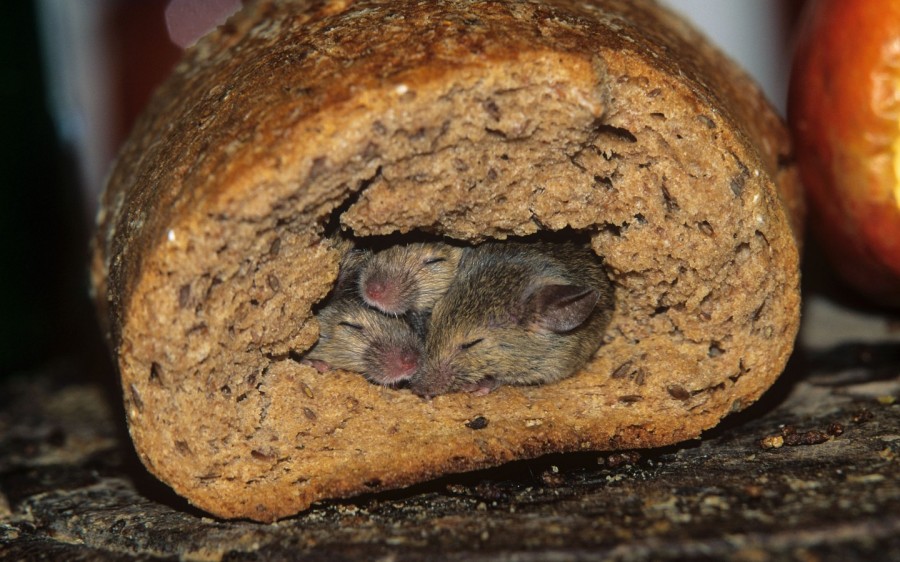
О мышах и людях на полях Украины

Взяв дід ріпку за зелений чуб, баба діда за плече, донька бабу за кофтину, Жучка доньку за спідницю, Мурчик Жучку за хвоста, миша котика за лапку. Тягнуть рукми, вперлись ногами, а ріпка взяла і аж вистрибнула з землі! Зраділи тут усі. Котик подякував миші й промуркав, що тепер вона може ні про що не переживати. 

Ось казочці кінець, а хто їв борщ із ріпою - молодець!


пʼятниця, 20 квітня 2018 р.

Moving to the division


My dear readers, I've decided to separate my blog into two. One will be devoted to the programming which is my job and a big part of my life. This one will be my soul, where I'll post about dogs, what's around and other things that interest me. I believe that division into technical and non-technical subjects will be comfortable for you.

My new blog article about programming lesson with kids can be found on Medium. You're welcome to visit there and see how to have not just a lesson, but having a magic Harry Potter game with robot, inspire children to achieve great things.

Good luck and have fun! ;)

Дорогие читатели, я решила разделить этот блог на два. Один я посвящу моей работе - программированию, ведь это большая часть моей жизни. А этот блог я оставлю для души. Тут будут посты про собак, про то, что нас окружает и беспокоит, и про другое, что мне интересно. Думаю, что разделение на техническую и нетехническую ветви будет удобно для вас.

Мой новый пост про программирование с детьми находится на Medium. Там можно прочитать про веселый и магический урок в школе Гарри Поттера, на котором побывала группа деток, и что они сделали из тела робота.

Добро пожаловать на новый блог! :)

понеділок, 27 листопада 2017 р.

Lesson with kids: Robot BB-8. Just believe it and program


Do you believe? Do you think it is good to believe? At what age do you tell your kids that there is no Santa Claus?
I have consider myself an adult for the last several years. In my understanding a grown-up is a person who can be responsible for others and who attempts to lead a win-win strategy with everyone. I watch myself and I watch others’ behavior, and I compare them to find out the best ways and viewpoints on the life questions.
Last time I decided to try to teach programming to children not just in an interesting and easy way, but also to make a fairy tale in which kids would be the main actors and coding would be the most emotional and so memorable part.


The pirate fairy tale


Once upon a time in a far-far-away galaxy there was an enchantress. She saw a group of kids through her magic ball. They were amicable nice children, interested in programming, so she decided to give them a robot who would be their friend and helper. She also decided to join the kids for the time while they learned how it works.

The story has begun, kids got into it and started treating me as the enchantress, play with BB-8 and ask about its features. The costume helped. When everyone had a chance to touch the robot and feel how it works, we continued.

Kids had treasure: tangerines and candies. The fairy night was coming and so they hid it. In order not to forget where the treasure was, they wrote a message on BB-8, with the location of the treasure. After, went to sleep.

It’s nice to have the breaks after activity, even if it’s interesting, it helps to organise the little ones, they remind constantly moving electrons when super active. Even to sit for a moment and feign calmness helps a lot.

While everyone was sleeping, the pirate, who was hiding and watched the kids’ play, stole the robot as the source of the information where the treasure was. When everyone got up, they found BB-8 was missing. The pirate showed up and said that now he was the owner of not just the robot, but also of the treats. And, if the kids want to get it back, they were to do what the pirate wanted and maybe come up with interesting ideas of how to make him happy.

At this moment the kids were emotional. They had the BB-8 (kindly Bibik), which wasn't theirs any more. They had the treasure but then they lost it. Such a moment is great to learn to program the robot because the memories will stay for long time. Another thing to do is to teach the kids how to behave in the situation. The best would be to calm the offender down and relax him. For example, it was possible to deal and get what they wanted.
Depending on the programming level of kids, the tasks differ. Lower, I list several for the beginners.

As soon as the kids agreed to appease the pirate, he started giving them the tasks.
  1. I had a dog in the childhood who I loved a lot. I want you to make the robot come to me, bark and run away.
  2. Now I want BB-8 to walk a circle around me when he comes.
  3. I want him to make it many times and sometimes meow instead of barking, I like cats too.
  4. And finally I’d like to remember the moon from my childhood. In the cave where I lived, it seemed to be green and blue. I’d like to look at the robot and feel what I felt back then.  
It’s good to tease kids that they won’t make it, they gained more energy to achieve the tasks. In all cases there was an enchantress to help. Also, the pirate had to encourage the kids when they implemented what he wanted. They love the adoration.


All in all, while watching the moon, pirate remembered how his parents loved him and how happy he was in his youth, and fell asleep. Kids realised this was the time to take action: take BB-8, with the treasures and run away. Then, with teacher, everybody thought again if they behaved nicely, came back, left several candies to the pirate and ran away for real.

The fairy tale finished happily by discussing all what has happened, eating the treasures and drawing funny faces on the tangerines.  

The game was great and kids loved it. I tested it with 3 groups and for sure things didn't always go as planned.
This kind of game works well with the children of 8-10 years. They get so involved and they might start beating the pirate for taking the robot away. During one lesson, the pirate appeared while kids were not feigning sleep, and so kids have put him into an imaginary jail. The situation and the scenario were rescued by the tennis table where kids were sent for a break. Older ones (10-12 years) started discussing the law system and what should happen to the pirate after he stole the robot. They also were concerned if they should follow the pirate’s requests to program the robot, because it wasn't their only option. In the very end they made the robot act like the very obedient dog, and then asked the pirate for a photo session with them.

Always be ready to be flexible and brainstorm depending on the situation.


понеділок, 30 жовтня 2017 р.

Lesson with Kids: Making the Big Project (talk at JavaOne)

This year I had honor to speak at JavaOne Conference in San Francisco, CA. I delivered a talk about teaching programming to kids. Despite keynotes and several other interesting talks at the same time, there were around 120 people, parents, willing to find out, how to show their kids what the programming is. They wondered from what to start and how to deal with the computer games which might seem more interesting to children than programming. In this article I’ll highlight some of the ideas from the talk and write about the experience of making the big project with a group of children. The presentation to the talk is here.
Speaker at Java One 2017


Every kid takes his parents as gods: they give everything, they decide almost everything in the life of the little one and they leave for jobs making kids wait for ages feeling lonely and abandoned. For sure each kid wishes to find out, what is remarkably important and interesting at that job, so that the parent changes the cozy place at home and family company for it. The children of my colleagues are happy not only to visit the parent’s work place but also to feel pretty much what their parents feel on the developer’s place.

First of all let’s discuss some rules you’re to follow when operating with children
  1. Nurture love to learning in a kid, don’t make punishment out of striding.
  2. Give comprehensible, possible to implement relatively short task. The leftovers (merging) you can do by yourself at first.
  3. Put the task into the shiny cover so that it looks appealing to the kid.
  4. Provide the surface to work. The less obstacles there are to start — the better.
  5. Expect the results, show you care about the process and can help if needed.

Outcome: by any means the first project should be something to be proud of. Pull it to the pretty condition together if needed, pretend that kid does an important job. Don’t say: «It’s only the first project, that’s fine that it barely works». Rather emphasize: «You’re really smart, you’ve managed to do such a great job, and I believe your next project will be even better»!

How to make one big project with kids

Project: a computer game which kids design on their own.
Kid’s number: initially the idea was designed and tested on a group of kids (6-8 persons). You also can do it with one child but better invite a friend of his. 
Kid’s age: 10-12 (initial group), but can probably be a bit younger and for sure older.
Programming language: Scratch. It’s good because it’s easy to code in it, it’s visual, fits for the little ones. Older, 14+, can start from more «adult» language. 
Total time: 2 lessons * 2 hours. 
Amount of lessons before the Big Project: 4+.
Adults number: 2 teachers, one for each subgroup + 1 to review (optional).

Steps of the Big Project
  1. Sit in circle, come up with the general idea of what to develop. Brainstorm, kids will catch up and produce many ideas you would never think of.
  2. Divide the project into logical parts or tasks which can be implemented by one group.
  3. Create the teams responsible for the big tasks, who will analyze them precisely, and implement them with the moderator (teacher). There is always someone who is a leader, who «knows how to do something». This kid should take the responsibility, so that others would choose to go to him and help.
     
  4. Divide the big task for the little ones and make sure each kid sits at the comp and programs something.
  5. Merge the parts and get the better idea of the full project. This is an example of a thought task kids might screw up and which is not really interesting. Everyone has an idea of how it should be, but not many want to implement. 
  6. Each kid should have an idea of how to make the common project better and more interesting. The best ideas are taken spread among others and discussed.
  7. As far as the children already felt the process of writing the code, they should try it on their own. Each implements the discussed idea. Implemented tasks are merged by kids with teacher’s help.
  8. When new part is added, the ones who have finished their work play the updated game. When all the planned parts are in the project, teacher plays the game on the big screen. Bugs are discussed and fixed. It’s happiness and a reason to be proud for a child when see theirs part in the project!
  9. It is good when there is someone who can review the project and who wasn’t involved in its creation. We didn’t simply made the project as one of the tasks. We played a game: some private entrepreneur wrote a letter in which asked kids to be his team and write some game. He mentioned requirements there. At one lesson we had a dog who he sent to watch at the process. The idea of a dog worked only for part of the kids, other part wanted to play with it. When we had the project, we invited the customer and he was the one to review and comment it, wish something else. As far as that was the last class, kids were proposed to continuer the project and implement the requests of the customer on their own. So if you're making a home project, call mom or grandparents who didn’t participate to look at in in the end and tell their ideas and wishes, how to make it better.

Link to the repository with the common game we created
https://scratch.mit.edu/projects/162178622/

This task gives special feelings of being involved in the process, makes everyone valuable team member and helps understand that it’s possible to create something big.


How to persuade a kid to program rather than play computer games?

Computer games cause addiction. Many people nowadays are addicted to seen actions which should happen all the time. No action - life is boring. As I can see by watching some programmers and my 15 years old nephew, programming can also be an addiction. You run to job/home to turn on your computer and write some code! 

The interesting part is how to switch mind from playing to coding. What I can advice is to take all the obstacles from the way, e.g., install by yourself or together all what is needed, don’t make a kid do boring stuff, think together of some project which will be interesting. Put the goals and achieve them. Pleasure from getting what you wanted is also addictive. 

When the kid is taught to like the interesting part of the project, start showing him the parts which go together with it. Every little one wants to become independent. All in all, he’ll start doing all the process with merges and bug fixes on his own. Don’t take his achievements, let him do all he can on his own.

I hope this article gave you some ideas how to work with your kid(s). Will be happy to give more advice and answer the questions. Good luck and have fun! ;) 


вівторок, 2 травня 2017 р.

Kids Learn Programming: Working as a Team

This week Ivan and I decided to show the kids of IT specialists what their parents do at work. The process of software development had been explained at the previous lesson, but the kids wanted to participate in it, write the code and feel as they are a part of the process. Here is how we did it.

A letter was sent to our group by a young businessman who wanted us to write him a game and present a demo version in the end of the lesson. The idea of the game had to be something like a flappy bird: a bird which flies by pressing the space key and has to avoid the obstacles. Here is our example. The customer wanted something different instead of the bird, and the obstacles to be more interesting than regular pipes. He wanted the game to have several levels and be distinctive. He also brought a (generous and loving) dog to watch how his task is moving. The dog stayed with us till the end of the lesson.

Kids got involved in the task, tried to guess who was the customer, started telling their ideas how to implement the stuff. Some of them told that we could make a nyan cat instead of a bird, and make him handle the comets. It was hard to come to a common denominator about the rest and in order to have enough time to do the job so we decided to split. Three kids with one tutor stayed making the cat, and other 4 kids went to come up with ideas about the logic of game levels, environment, and such, plus implement some.
Many of us in order to achieve certain goal act as they feel like. In the end, some really get what they wanted but others fail and agree not to have what they initially planned. That’s not how it’s done in development where the result has to be predictable. So after we collected the ideas and before doing anything, we wrote business stories. They looked like:

Given: as a player
When: I press “Start” button
Then: cat flies straight.
We planned how much time we’ll spend for which story, thought of acceptance criteria and made a table where tasks were assigned to the certain kids. Truth is, in the process when some felt they can do better and the author of the story agreed, the keyboard was taken by the more willing kid. Unfortunately, the timeframes weren’t kept and it took us longer than we planned, but that's the reality.
Brainstorming is a nice and helpful technique. I tried to get an idea from each kid so that we all develop general logic of the game and make something really nice. It worked out better with 4 kids rather than 7. Some were too shy and didn’t want to speak unless they have to. Finally, while all were making the first level, one guy designed and draw the elements for the next levels, eating which affected the cat in different ways. However, that was too much for half an hour that we were supposed to work in separate teams. During this time, at least one level had to be implemented in full. The ones who drew nicely or knew where to get the sprites (the boys) did the drawing. The shy ones (the girls) wrote the code for the level. We did it all using one computer and one projector. In the end, everyone participated in every task.
When both teams were done with the elementary stuff, we came together for the merge. Everyone was excited about how it’s gonna work out together. The teacher did the merge because no one knew how to do it. But when we checked what it looked like, it turned out that there is no code for when the cat bumps into the comets. This we fixed together.
This all was interesting and important. But what we are typically afraid of most is what will others say about our work, thoughts, and ideas. Will they like and share them? So the customer came to look at what he’s gonna earn money with. (The customer was a friend of teachers’ who the kids didn’t know.) He thoroughly examined the functionality, read the stories, and checked if they worked as expected. The most enjoyable comments of his were:
“This looks like a cookie, I didn’t realize this is the comet I’ve got to omit rather than eat!”
“Why does the cat say “Meow” when it bumps? Does it like to?”
When criticizing something, try to do it in a kind and even funny way, still so that the kid understands that his work has to be improved but he won’t get afraid of punishment or being disliked.
To sum up, the kids learnt to put the task in a form of a story (Given, When, Then), learnt to track the tasks and to work together on a common project.

четвер, 13 квітня 2017 р.

Lesson with Kids: Handling the Failure


Imagine (or remember) the situation, where you are the teacher and have to deal with kids.

What Can Go Wrong During the Lesson?

  1. Teacher isn’t able to explain the material. Result: kids lose interest in the subject and may even stop listening to the teacher altogether.
  2. Teacher runs out of time. Not everything he wanted to explained reaches kids’ ears. Result: all the planning for the following lessons is messed up.
  3. Teacher explains the lesson too fast. In the end, he doesn’t know what to do with the time left.

Who to Blame?

  1. Kids who come late. Some kids showed up late, so the teacher was disturbed while presenting the material, or even started later because of waiting.
  2. Kids who behave badly. Some of them just cannot sit calmly and do whatever the teacher wants them to. They do their own stuff, talk to each other, play with their pens or toys.
  3. Plan of the lesson. If the material is too easy, it’s boring. On the other hand, if the material is too hard, the kids might not be prepared well enough to do the job. Therefore, some of them skip the lessons, others don’t do their homework, yet others are just not smart enough to get the formulas etc.
  4. Teacher who didn’t prepare well enough. Teachers also want their spare time, they can’t always produce new amazing ideas for each lesson to keep kids interested, and they also have their mindset that doesn’t allow for quick adapting to new situations.

Remedy

Some time ago, I learnt that the original sin was not the disobedient behaviour towards God, but rather making someone else the reason of your own fault: Adam blamed Eve and she blamed the serpent. So I’d like to propose not to look for the bad guy here but rather to see what can be done.

Let’s start with the last point. You may think you prepared the lesson nicely, but sooner of all, you’re not the one to evaluate it. Those who listen to you are to judge. If, however, the kids are the troublemakers indeed, it doesn’t matter if they are too active, too passive, come late, or skip the lessons. There are 2 things that can help:


1) It’s about the redundant energy that searches the way out. What the teacher needs to do is to show the right direction for the energy to eject by giving out active tasks, communication tasks, and other activities that involve kids as life models. The more shy ones should participate as well but act from passive positions.


2) Much depends on being able to tell the material in an interesting way. When the teacher does just that, typically, even those who have problems with managing themselves start listening. The teacher needs to make every child feel like they are participants of the lesson, propose to make the decisions, say their ideas out loud and describe the opinion. Students should not realise themselves passive bystanders watching the boring theatre of one actor. And believe me, it might take even fewer resources of yours to prepare such a lesson where you’ll rely on the help from the auditorium.


What we haven’t tackled yet is the plan issue. The teacher can either change the plan altogether or adapt it to the needs of the kids. When both options are impossible, possibly he should change the job is still left.

An Example from Real Life

Andrii Savchuk, Ivan Godzynskyi and me were to teach together. We wrote a detailed schedule of the lesson and planned who does what.

At first, while discussing the homework*, each child would mention the most interesting and the hardest moments they’d experienced. After one of the trainers would show the new material, then the “cookies break,” a game to show how the events work in real life, and another piece of theory about events in Scratch. Then we planned to discuss the future projects for the kids. Sounds good enough for 1.5 hours, isn’t it?


The first issue we faced was that kids were talking too quietly, and only nearby people could hear them. When we were presenting the new material, something went wrong, and then something else didn’t work as expected. The new material part started taking too much time, and the goal to do all planned was at risk.


The reason for all this was bad preparation. Happened once, was obvious, will be fixed next time. But, the lesson is not about the teacher, and even not about the material. Its main goal is to inspire to create, act, and try out the subject under discussion.


In the end, we had to get rid of some part of the lesson. Which one to drop? Maybe not the theoretical material because it’s most important and kids will probably understand it without the game**? Still, we decided to do with the game. At least the little ones left the classroom feeling happy, and we were kind of sure that they would want to come back to find out more, even though the first part of the lesson was not good enough.

* Some hunting projects kids started in class, continued at home and had to make more advanced in the lesson again


** The game we played: there was a labyrinth put (drawn, made with strings or paper) on the floor. One kid would have his eyes closed with cloth so that he sees nothing. Others are the "listeners". They wait for the occasion to tell where the child with closed eyes needs to move. But one kid can say only one type of move: straight, turn left, bind, etc. As a result, one behaves as a computer and others are directions from the programmer.

Have fun with your kids and be wise :)